
How it works
One gig, start to finish.
Six steps every band knows, from the song list to the notes after the show. Here’s how BandStack handles each one.
Tap any screen to see it full size.
Your songs
One library. One current setlist.
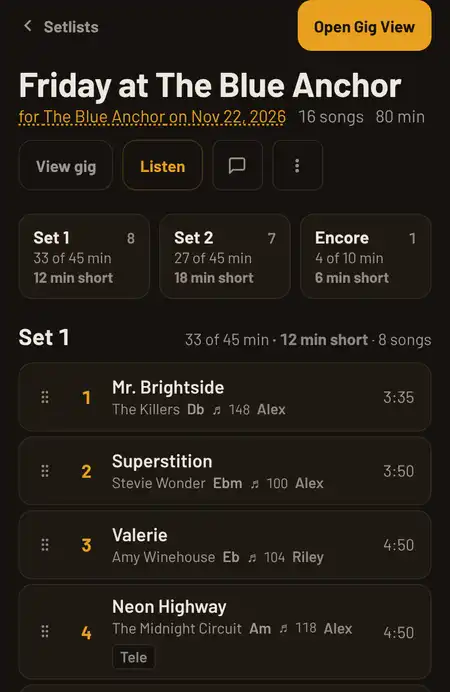
Every song lives once, with its key, tempo, singer, chords and lyrics. Setlists are built from that library, so there’s one current version, not three spreadsheets.
- Key, tempo, chords and lyrics on each song: change it once, everyone has it
- Sets, an encore and running times on every setlist
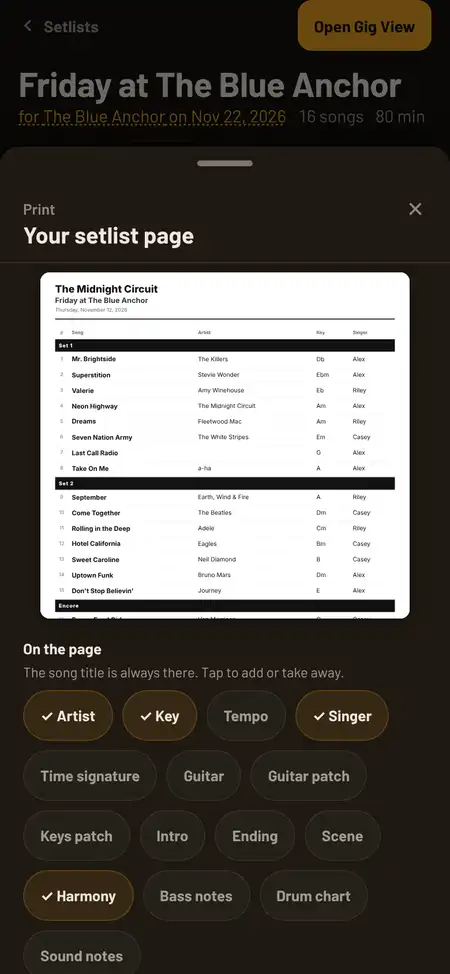
- Print your own page: pick exactly what’s on it, with a live preview
Weeks before
Book the date.
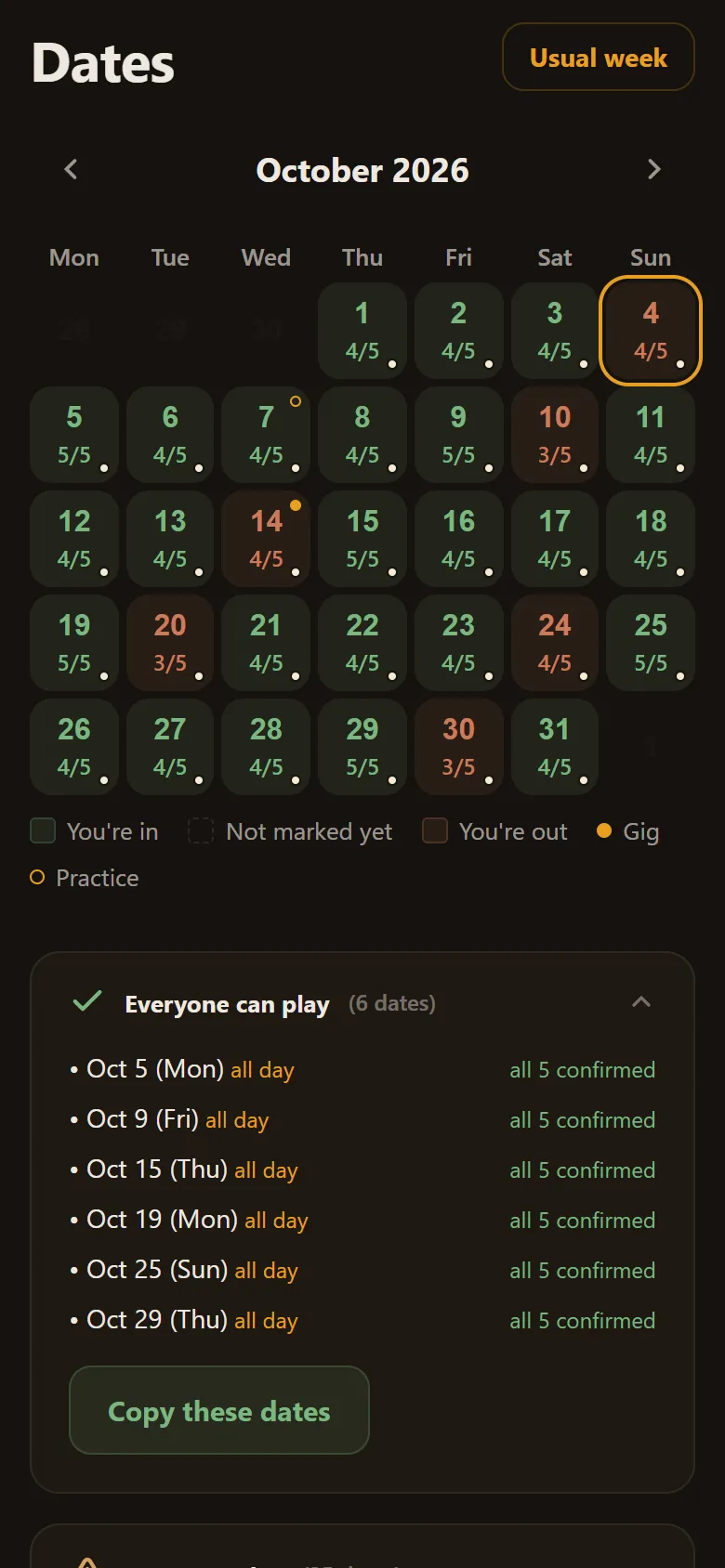
See who’s free before you say yes to the venue. Everyone marks their dates once, and the whole band sees it at a glance.
- Availability the whole band fills in, once
- Each member can add the band’s gigs to their phone calendar
The week of
Build the set.
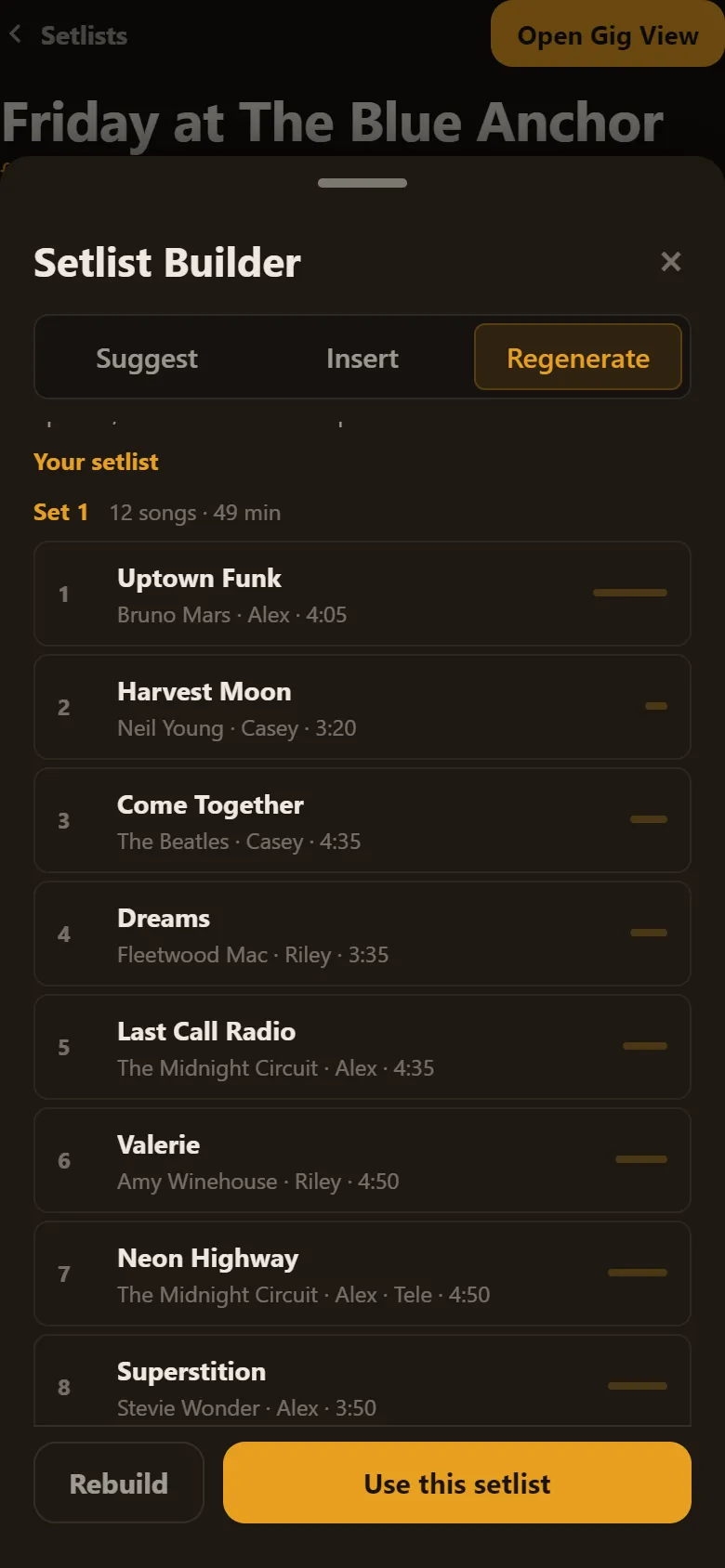
The Setlist Builder drafts the night from your own songs, around your usual openers, closers and encore.
- Setlists built around your usual openers, closers and encore
- Once a month on Free, as often as you like on Pro and Pro Plus
Load-in
Everyone knows where and when.
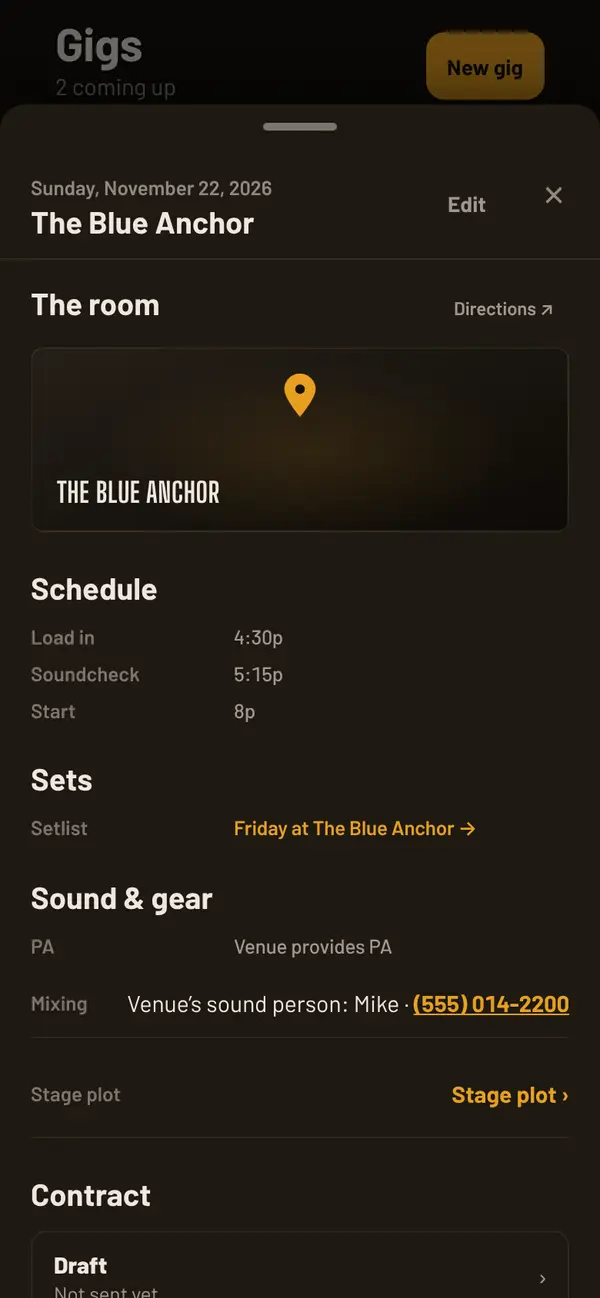
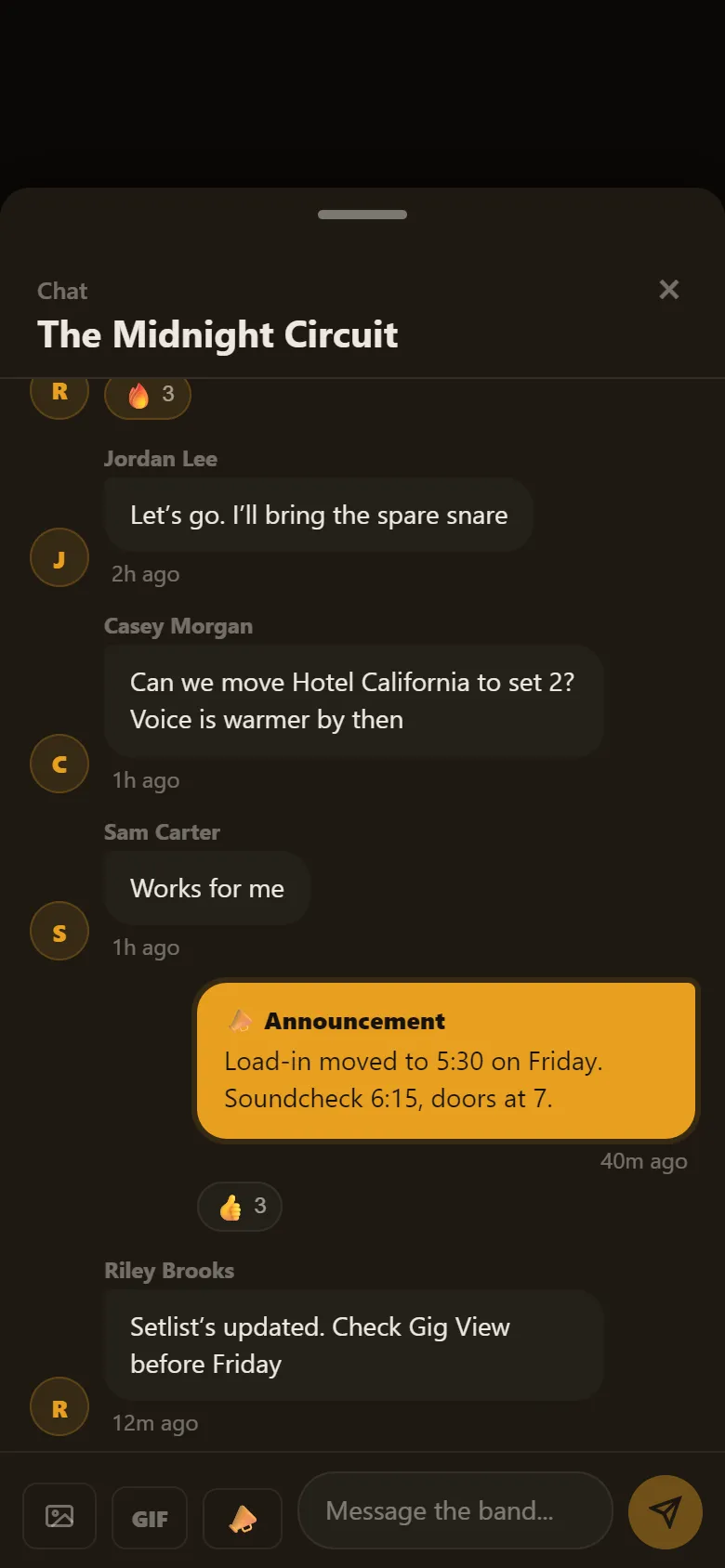
The gig carries the times, the room, the setlist and the sound details. When something changes, an announcement reaches every phone.
- Load-in, sound check and start times, with directions
- The PA, the sound contact and the stage plot, on the gig
- Announcements that notify everyone; photos and videos stay with the band
On stage
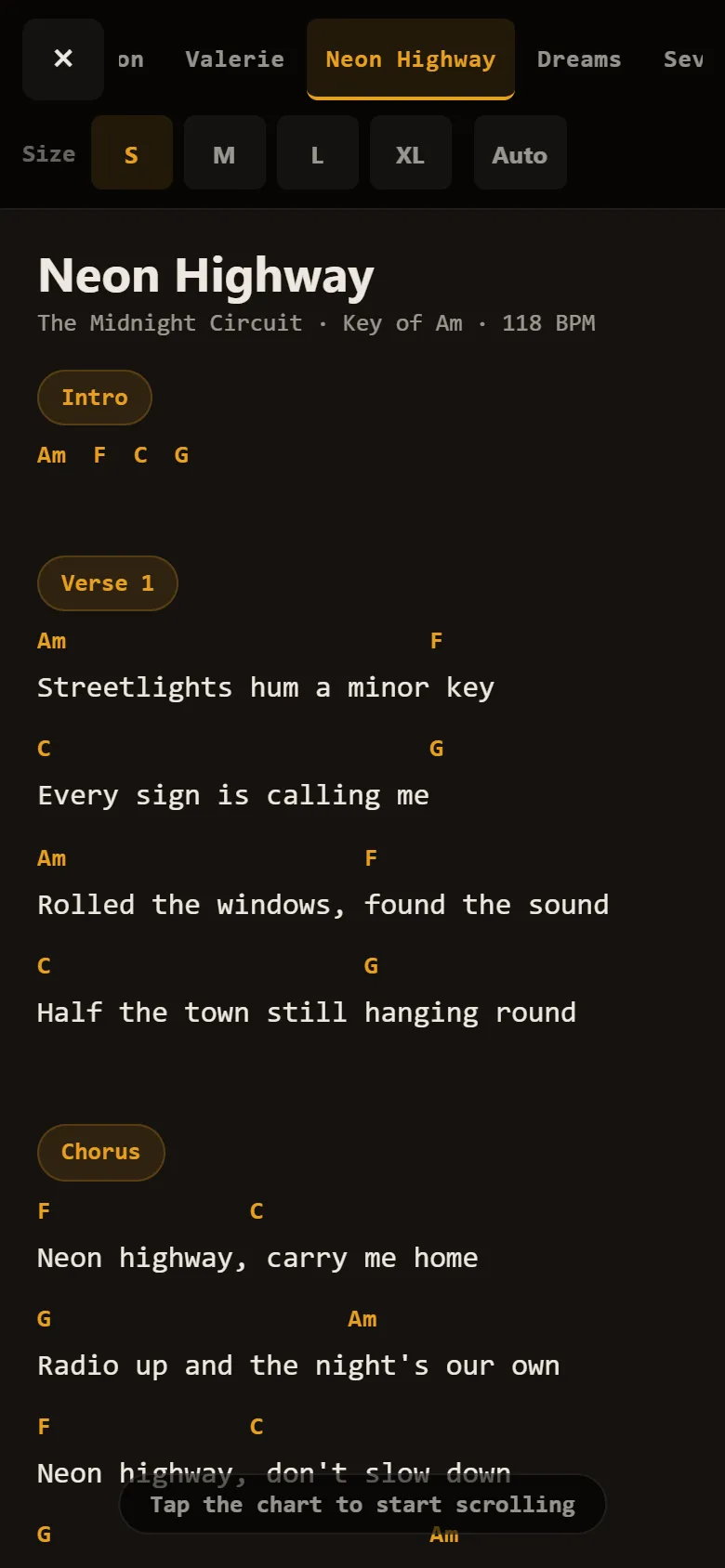
Every player’s part, on their own phone.
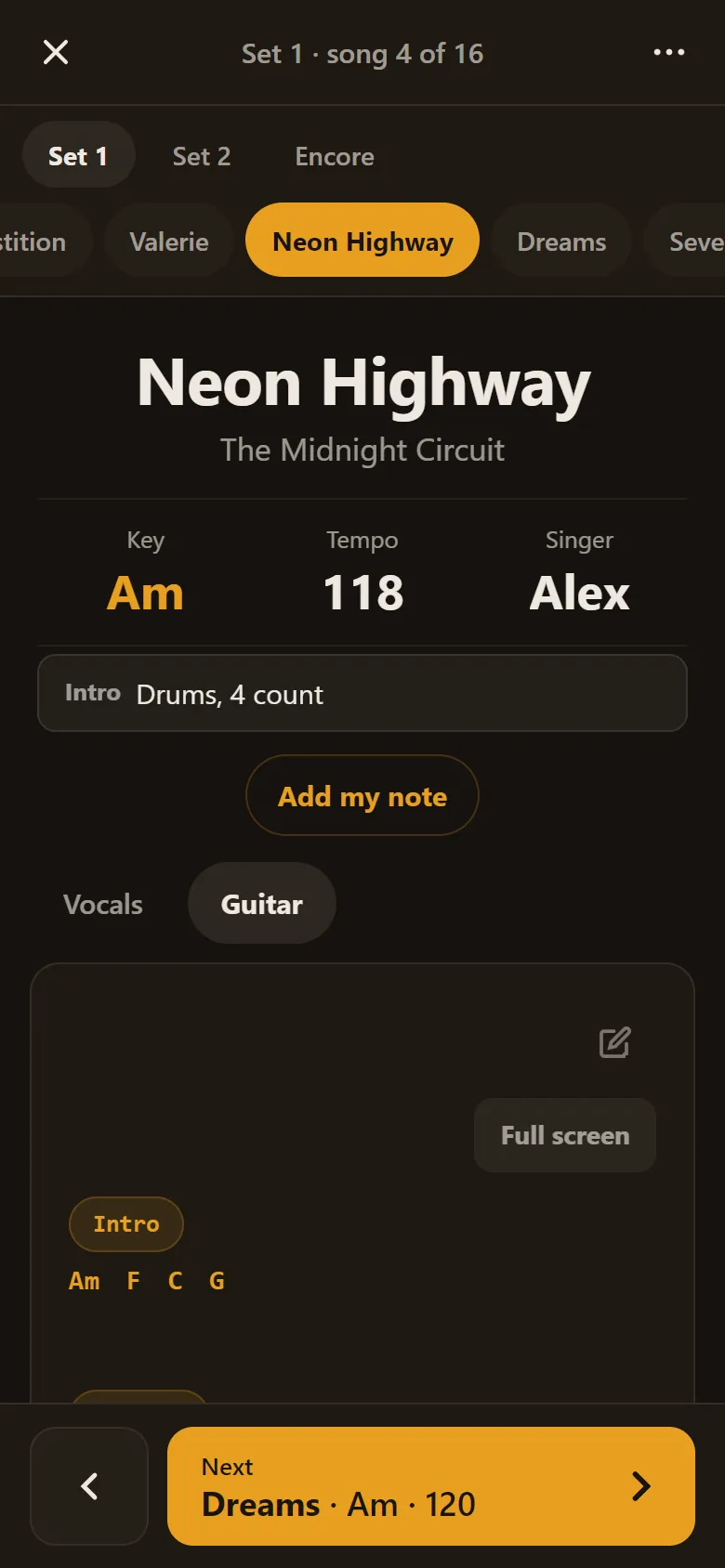
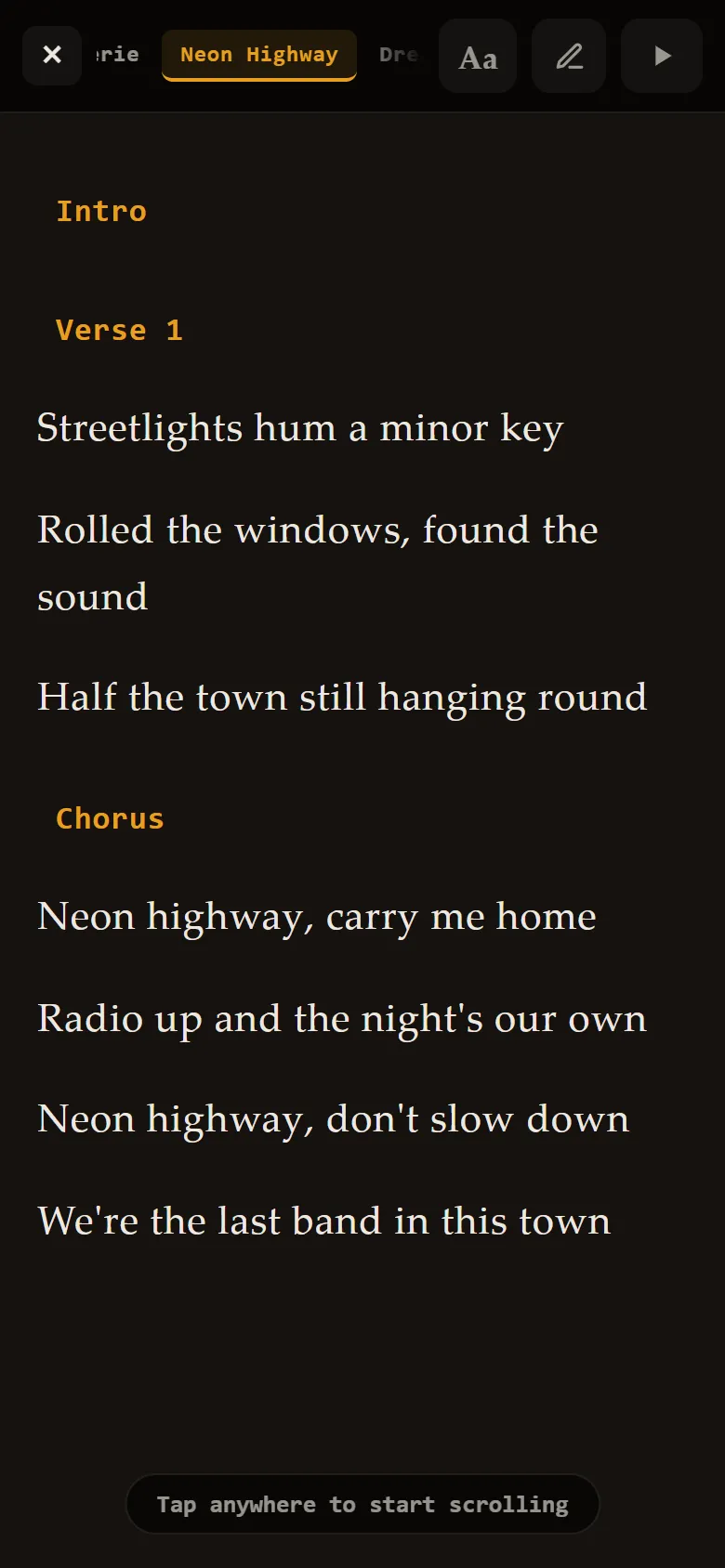
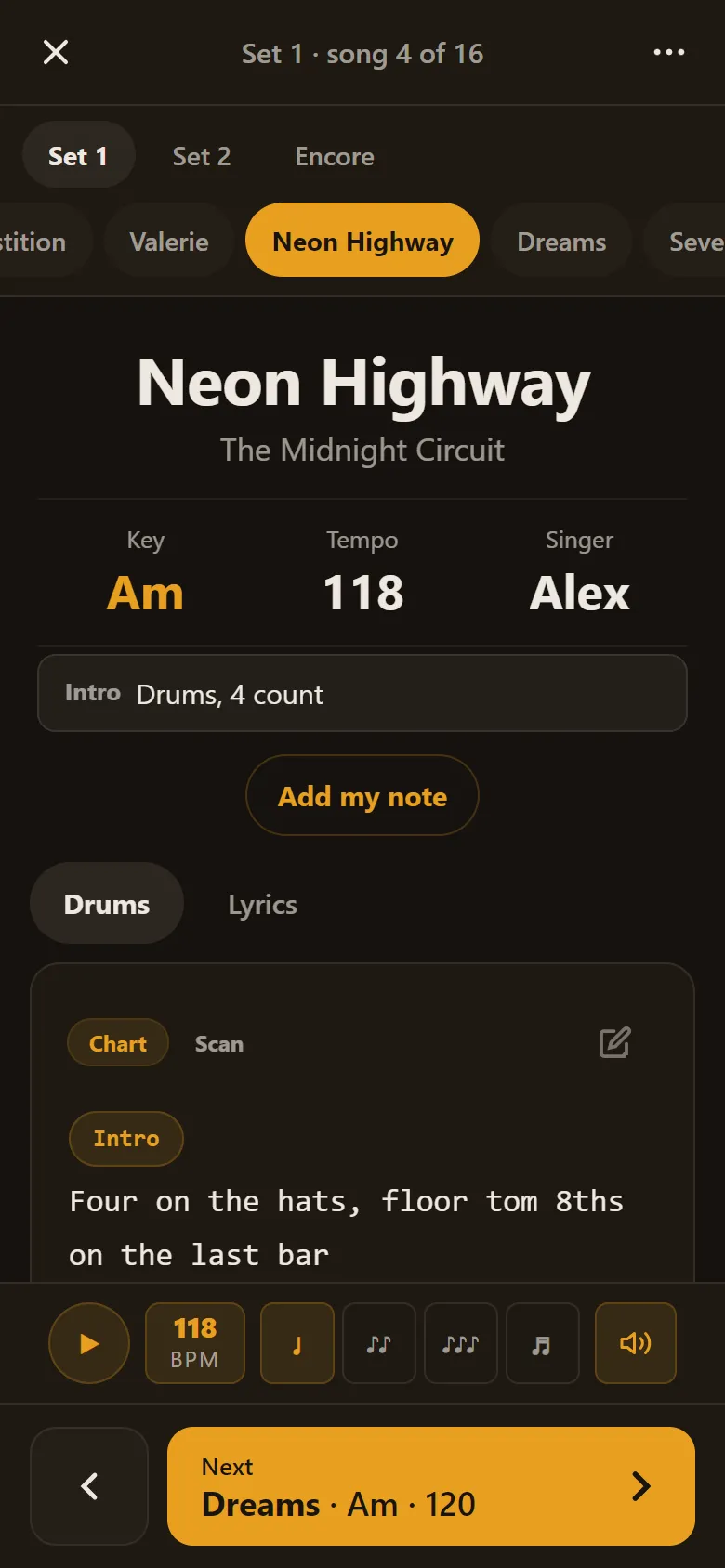
Everyone opens tonight’s setlist in Gig View, each set up for that player. No printed pages blowing off the monitor.
- Your part: chords for guitar and keys, notes for drums, lyrics for the singers
- Big type: lyrics and chord charts go full screen
- Metronome: a click at each song’s tempo, with sound or without
- Stays awake: the screen stays on all set
After the show Pro and Pro Plus
Know what to fix at practice.
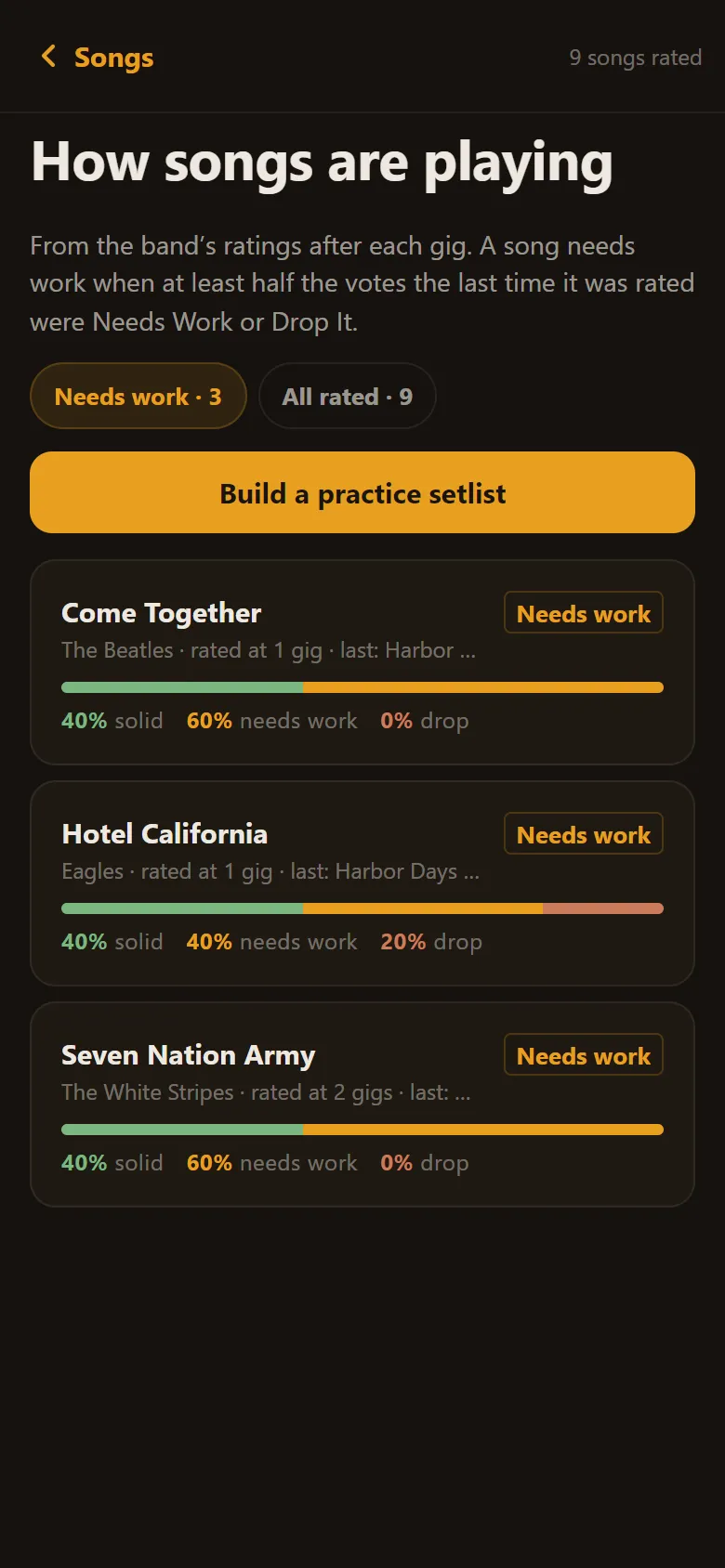
Right after the show, everyone rates each song Solid, Needs Work or Drop It. BandStack turns it into the next practice list.
- Ratings from the whole band, song by song
- A practice setlist built from the results in one tap
- A note on any song, left with the rating
Around the gig
The rest of the band’s business.
Your band website
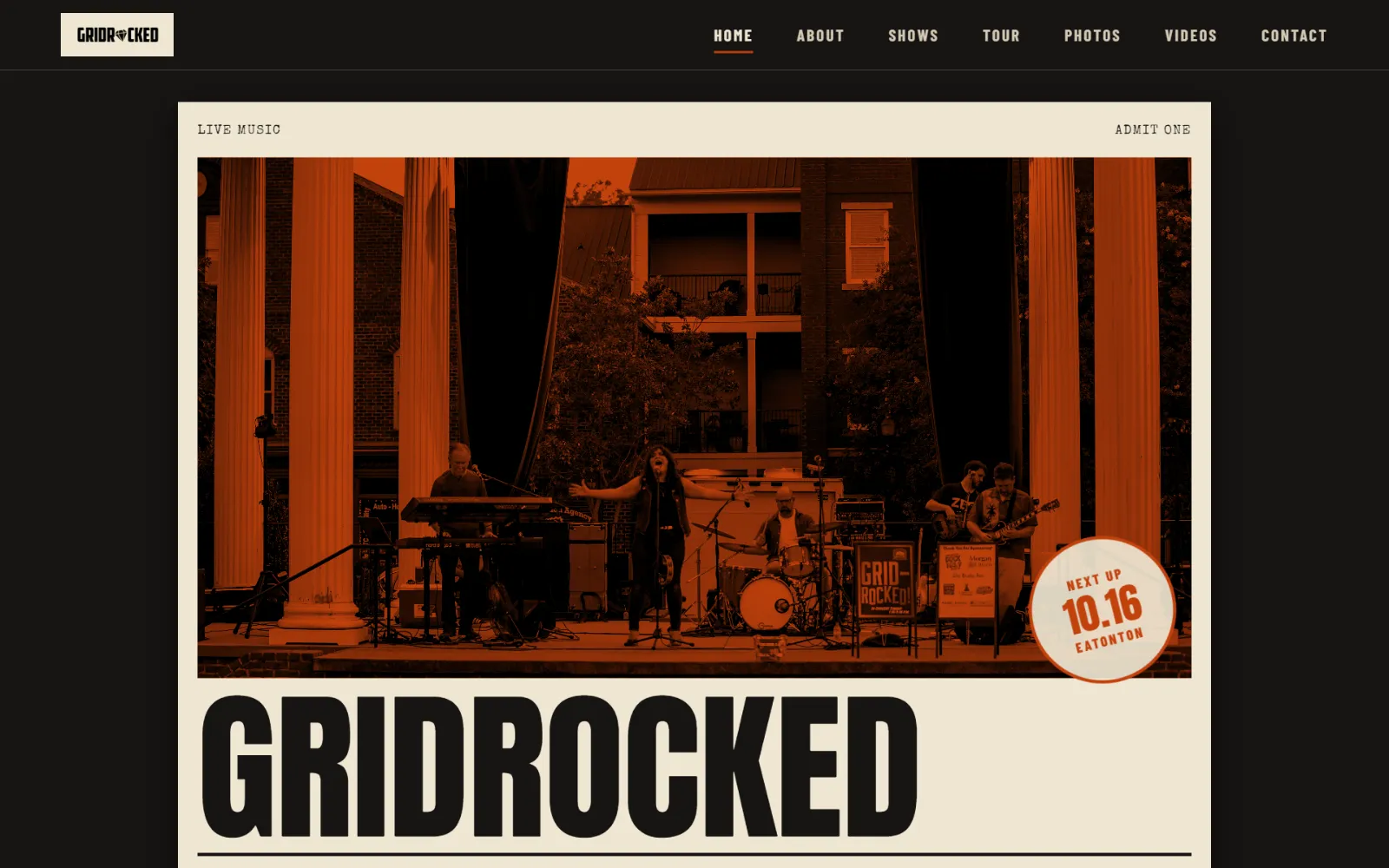
Switch a gig on and it’s on your site.
What’s included
Every band gets a one-page site free: your photo, your story, your next gigs and a booking form that filters out spam. Pro builds it out with more pages, photos, video and songs. Pro bands can connect their own domain for $5 a month; Pro Plus includes it.
Money
Pro and Pro PlusGig pay and payouts, kept with the gig.
What’s included
Fees, payouts and expenses for each gig. Only the members your band’s admin chooses can see the money.
Contracts and invoices
Pro PlusSigned online, sent with your W-9.
What’s included
Contracts the venue signs online, invoices emailed with a PDF and your W-9, and band documents such as insurance, a stage plot and a rider, sent to venues in a tap.
Mute the group text.
Free for bands of up to 8. Pro and Pro Plus take up to 25.